This guide explains how to delete your account in the ONE &. app. Please follow the steps below carefully.
1
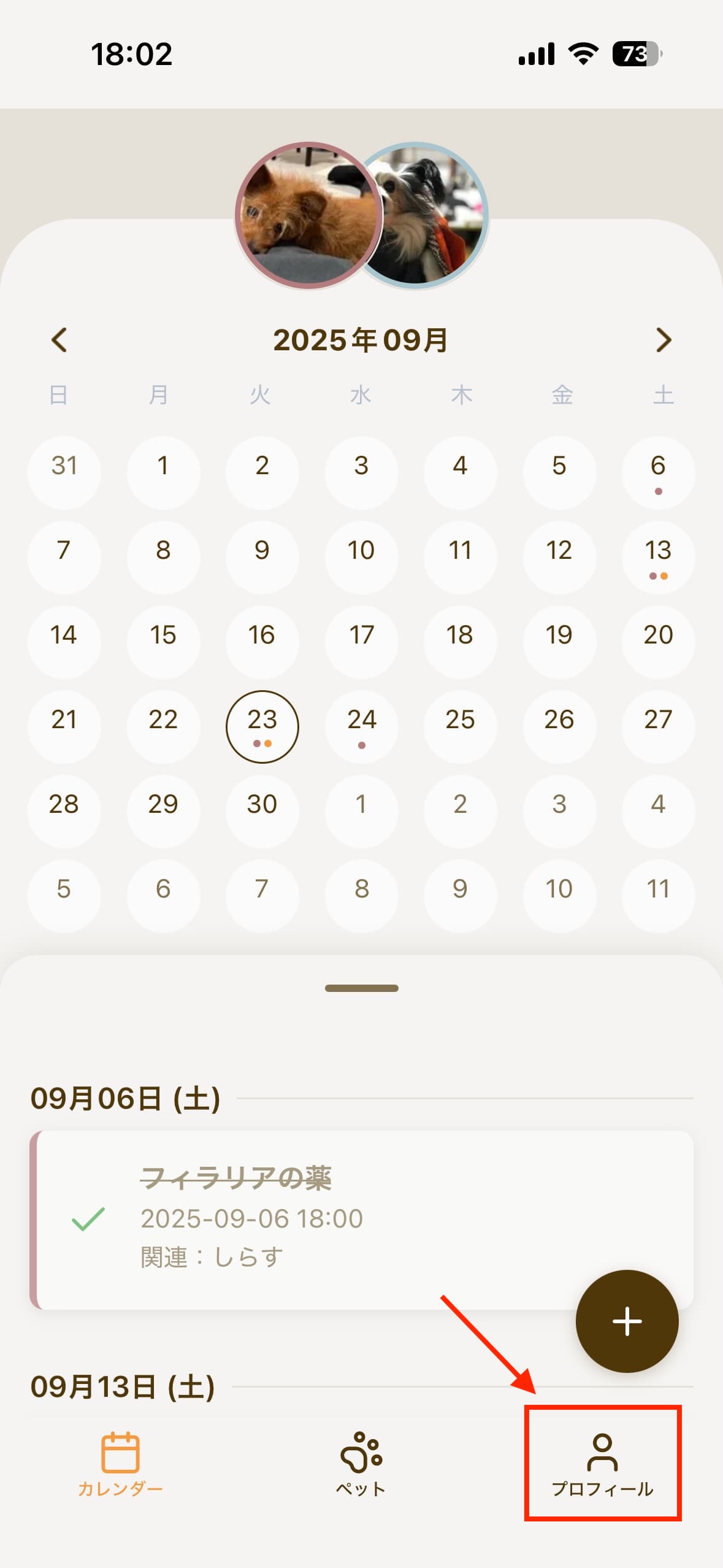
Open the Profile Tab
Tap the "Profile" tab at the bottom of the app screen.
2
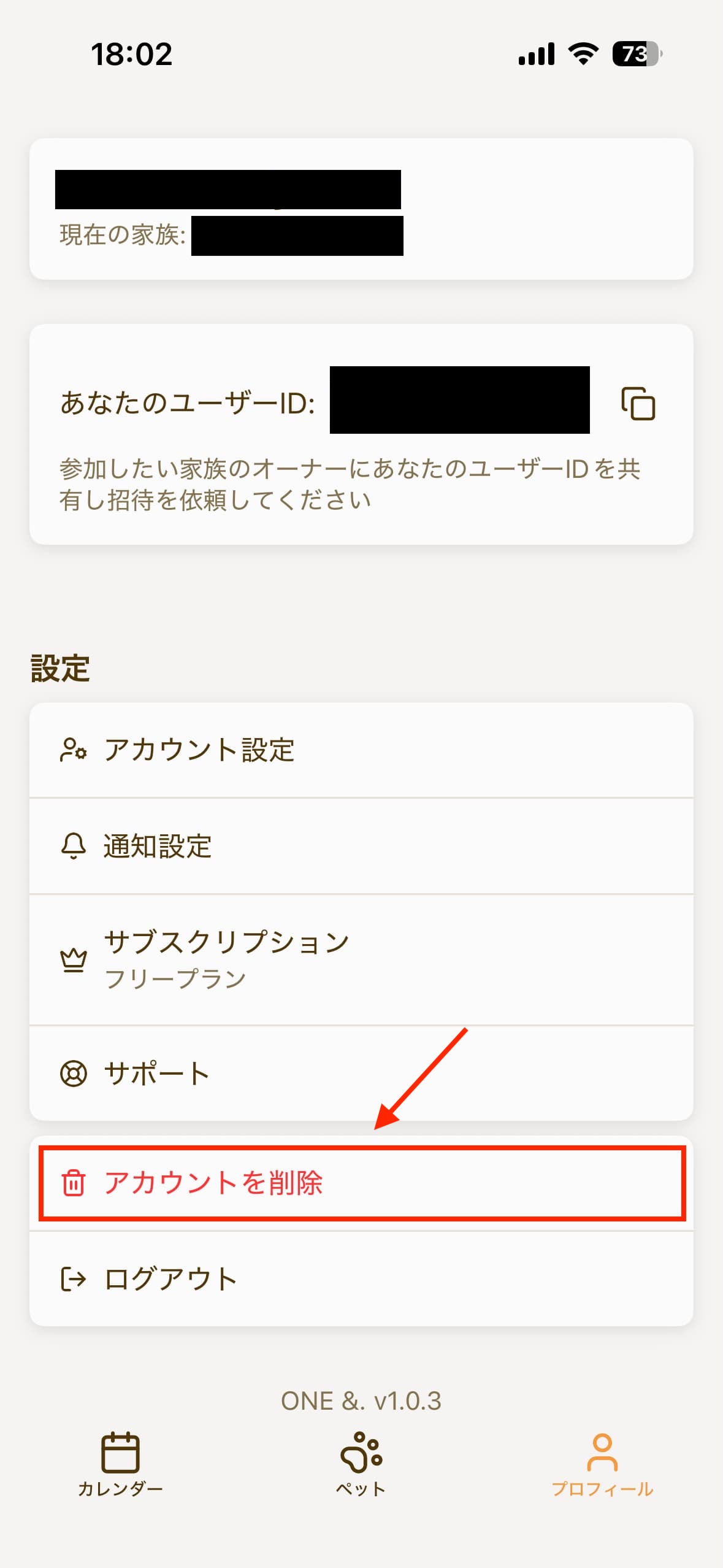
Find the Account Deletion Button
Look for the "Delete Account" button within the profile screen.
3
Execute Account Deletion
Tap the "Delete Account" button. A confirmation screen will appear. Please read the confirmation message carefully before proceeding with the deletion.
⚠️ Important Notes
- Owner Only: You can only delete accounts that you own. If you're viewing another member's profile, the "Delete Account" button will not be displayed.
- No Recovery: Once deleted, accounts cannot be restored. Please ensure you have backed up any important data before deletion.
- Complete Data Deletion: All data associated with your account will be permanently deleted upon account deletion.
If you have any questions or need support, please contact us through our contact form.